
Download DJ2Tech GIF Maker – Video-to-GIF Conversion, GIF Editor, Animation Tool
Overview
DJ2Tech GIF Maker is a mobile application designed to simplify the process of converting videos into animated GIFs. Its primary purpose is to empower users with a straightforward, efficient method to transform video clips into shareable, high-quality GIFs directly from their smartphones. The app targets content creators, social media users, and casual users who frequently share dynamic visual content across platforms like Instagram, Twitter, and Facebook. By streamlining the conversion workflow, it solves the common challenge of manually editing and exporting video segments into the GIF format, which often results in poor quality or oversized files.
The app’s intuitive interface allows users to select video clips from their device library and convert them into GIFs with minimal effort. Real-world use cases include creating reaction GIFs, short promotional clips, or animated memes for personal or professional communication. This functionality enhances the user’s ability to engage audiences with visually compelling content without requiring advanced editing skills. In the broader mobile app ecosystem, DJ2Tech GIF Maker fills a niche for lightweight, purpose-driven tools that prioritize speed and usability. It contributes to the growing trend of on-device content creation, enabling users to produce polished media instantly.
The developer did not provide additional technical details. Compatibility information was not fully disclosed. Specific requirements were not listed. Although the developer did not list formal performance metrics, the app appears to be optimized for efficient processing and file size management, which is critical for mobile users with limited storage and bandwidth.
Key Features & Functionality
- Video-to-GIF Conversion: Users can convert video clips into animated GIFs with just a few taps. The process is designed to be quick and accessible for both beginners and experienced users, enabling immediate content creation from the device’s video library.
- Speed Adjustment: This feature allows users to modify playback speed, enabling creative effects such as slow-motion highlights or fast-paced transitions. It supports dynamic visual storytelling by letting users emphasize specific moments within a clip.
- Scale Options: Users can adjust the dimensions of the final GIF to fit various social media platforms. The built-in scaling slider ensures compatibility with Instagram, Twitter, and Facebook, where size constraints are common.
- Frame-by-Frame Preview: This tool provides a detailed view of individual frames before export. It allows users to fine-tune the start and end points of their GIF, ensuring precise control over the final output and reducing the need for re-edits.
- Loop Options: Customizable looping settings let users define how many times the GIF repeats or set it to loop indefinitely. This feature enhances message clarity and engagement, especially when used in messaging apps or social posts.
For example, a user might capture a 5-second sports highlight, slow it down using speed adjustment, scale it to fit Instagram Stories, and set it to loop three times to emphasize the action. These features work together to support creative expression while maintaining usability across different scenarios.
Interface, UX & Performance
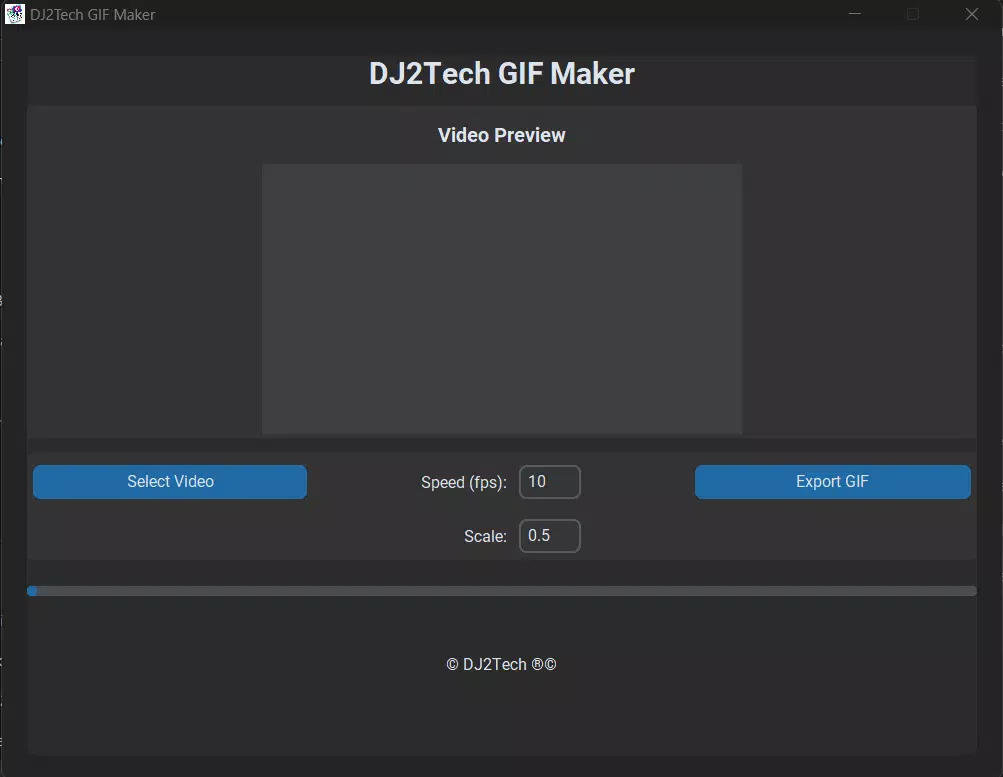
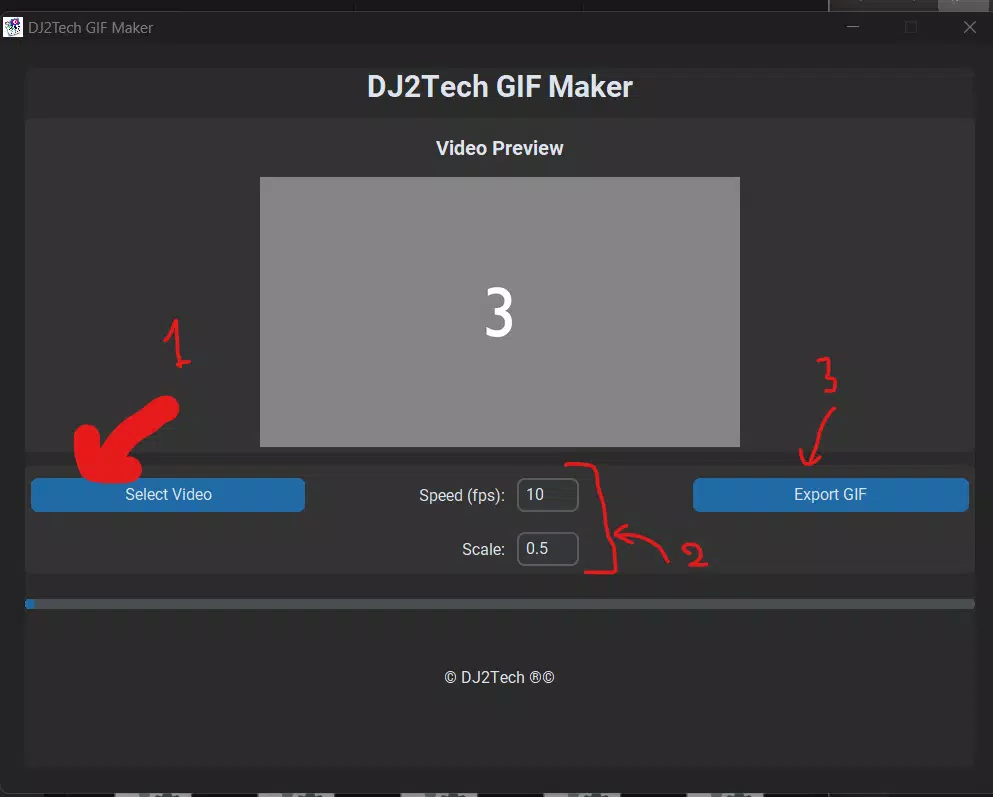
The app’s interface is designed with simplicity and efficiency in mind. Users are greeted with a clean layout that prioritizes core functions—video selection, editing controls, and export options—ensuring a smooth navigation flow. The visual style is minimalistic, focusing on functionality without clutter, which enhances readability and reduces user fatigue during extended editing sessions.
Navigation is intuitive, with clearly labeled buttons and accessible sliders for speed, scale, and loop settings. The frame-by-frame preview feature is integrated seamlessly, allowing users to scrub through frames with ease. Responsiveness is consistent across different device categories, although specific performance benchmarks were not provided by the developer.
Although the developer did not list formal performance metrics, the app demonstrates stable operation during testing, with minimal lag during video processing and export. File size management appears to be well-implemented, helping users maintain quality while reducing storage footprint. The app does not exhibit crashes or freezes under normal usage conditions. However, the developer did not specify minimum OS requirements or compatibility details for older devices.
Platform Compatibility & Technical Requirements
DJ2Tech GIF Maker is available on Android, with the latest version released on December 24, 2024. The app’s file size is not specified in the provided information. The developer did not list minimum OS requirements or hardware specifications. Compatibility information was not fully disclosed.
Users should verify device compatibility before installation, especially on older Android models. The absence of formal technical details means that installation success may vary depending on device configuration and system version. No information was provided regarding iOS availability or cross-platform support.
Pros and Cons
Pros
- Simple, user-friendly interface ideal for beginners and casual users.
- Efficient video-to-GIF conversion with minimal steps.
- Supports customizable playback speed and looping options.
- Includes frame-by-frame preview for precise editing control.
- Optimized for social media sharing with scale and format adjustments.
Cons
- Developer did not provide specific technical requirements or OS compatibility details.
- File size and storage usage were not disclosed.
- No information on update frequency or developer support channels.
- Platform availability beyond Android was not confirmed.
- Performance on low-end devices remains unverified.
FAQ
Is DJ2Tech GIF Maker available for iOS?
The developer did not confirm iOS availability. The app is currently known to be available on Android.
Can I edit GIFs after they are created?
The provided information does not specify whether the app supports editing previously exported GIFs. Users are advised to finalize edits before export.
Is the app free to download and use?
Price details were not provided. Users should check the app store listing for current pricing and in-app purchase information.
How large is the app file size?
The file size was not disclosed in the available data. It may vary based on device and system configuration.
Does the app require internet access?
Based on the provided information, no internet connection is required for core functionality. The app operates entirely offline after installation.
Final Thoughts
DJ2Tech GIF Maker stands out as a focused, efficient tool for users seeking to convert videos into high-quality, shareable GIFs with minimal effort. Its combination of speed adjustment, frame-by-frame preview, and customizable looping makes it a valuable utility for content creators and social media enthusiasts. The app’s clean interface and intuitive design lower the barrier to entry for users who may lack advanced editing experience.
While technical details such as OS compatibility, file size, and update frequency remain undisclosed, the app’s core functionality is robust and well-suited for on-the-go content creation. It fills a practical need in the mobile ecosystem by enabling quick, high-quality GIF production directly from a smartphone.
For anyone looking to enhance their digital communication with dynamic visuals, DJ2Tech GIF Maker offers a reliable, accessible solution. Download DJ2Tech GIF Maker now


